

Your phone battery is one of those components that quietly gets worse over time. Even with normal use, lithium-ion batteries gradually lose their ability to hold as much charge as they did when new. However, your daily habits can influence how quickly that happens. Excessive heat, prolonged time at a high charge level, and unnecessary battery stress can all contribute to faster aging.
The good news is that protecting your phone battery doesn't require complicated routines. A few simple changes to how you charge, use, and store your phone can help slow battery degradation and keep it performing well for longer. In this guide, we'll go through six practical ways to protect your phone battery and get more life out of it.

Why Does Your Phone Battery Degrade Over Time?
Most smartphones use rechargeable lithium-ion batteries, which naturally lose capacity as they age. Every time you use and recharge the battery, its chemistry gradually changes, reducing the amount of energy it can store.
A charge cycle represents using a total amount of power equivalent to 100% of the battery's capacity, even if that happens across several partial charges. Over enough cycles, the battery's maximum capacity declines, meaning your phone may not last as long between charges.
However, battery aging isn't determined by time or charge cycles alone. Temperature, charging patterns, and how heavily you use the phone can all affect the rate of degradation. Heat is particularly important: charging or using a phone in high temperatures can accelerate battery aging, while demanding activities can generate additional heat. That's why two phones of the same age can have noticeably different battery health.
The goal, therefore, isn't to prevent battery aging completely; it is unavoidable with lithium-ion technology. Instead, good charging and usage habits can slow down unnecessary degradation and help the battery retain useful capacity for longer.
6 Simple Ways to Protect Your Phone Battery
You don't need to completely change the way you use your phone to protect its battery. The most effective approach is to avoid conditions that accelerate battery aging and make better use of the charging and power-management features already built into modern phones. The following six habits are simple enough for everyday use and can help your battery maintain its capacity for longer.
- 1. Avoid Excessive Heat.
Heat is one of the biggest factors that can accelerate lithium-ion battery degradation. Avoid leaving your phone in direct sunlight, inside a hot car, or in other high-temperature environments, particularly while charging. If your phone becomes noticeably hot during charging, moving it to a cooler, well-ventilated place can help reduce unnecessary stress on the battery.
- 2. Avoid Keeping the Battery at 100% for Too Long.
Staying fully charged for extended periods can contribute to long-term battery aging. If your phone offers optimized charging or a charging limit, use it to reduce the amount of time the battery spends at a high charge level. You don't need to avoid 100% completely, especially when you need maximum runtime; the goal is simply to avoid keeping the battery full unnecessarily.
- 3. Don't Wait Until 0% Before Charging.
Modern lithium-ion batteries don't need to be completely drained before you recharge them. Partial charging is perfectly normal, so there is no benefit in deliberately running your phone down to zero before plugging it in. Charge it whenever convenient rather than treating 0% as a required starting point.
- 4. Use Battery Protection and Optimized Charging.
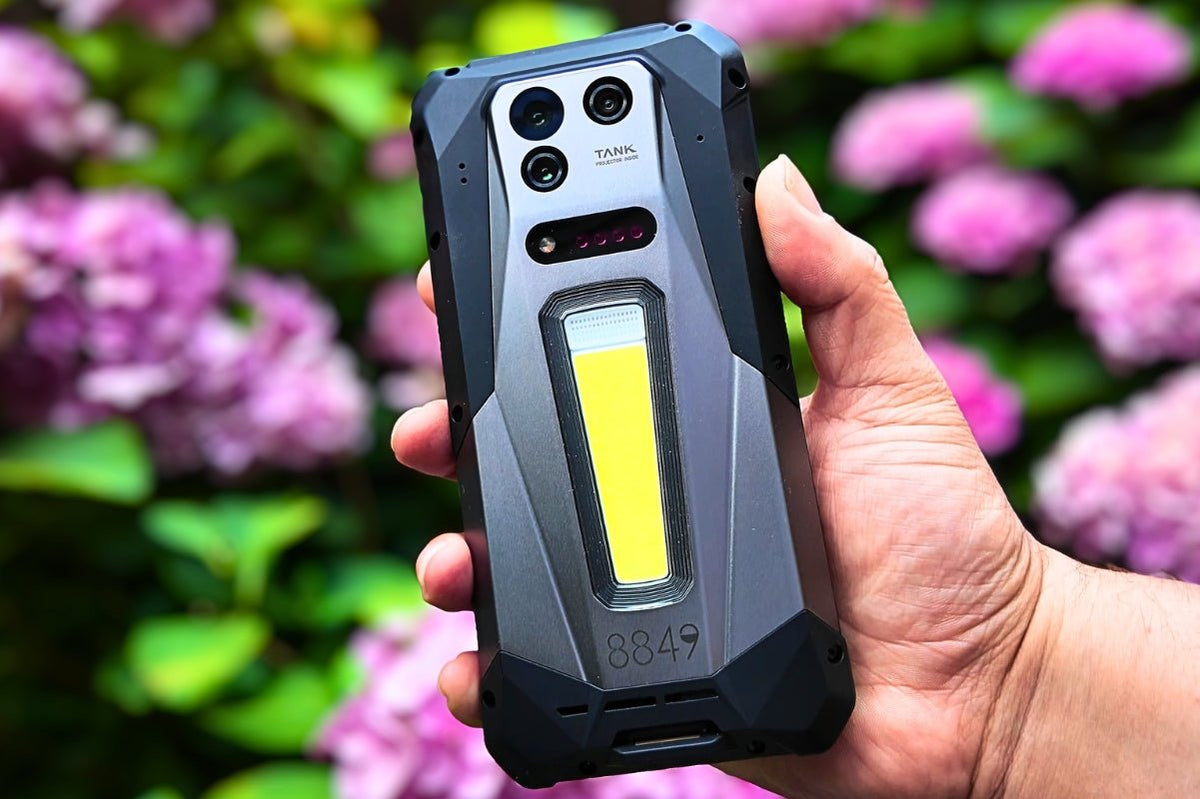
Many newer smartphones like the 8849 Tank 5 Pro include built-in features that automatically manage charging to reduce battery aging. Depending on the device, you may find options such as Optimized Battery Charging, Adaptive Charging, or an 80% charging limit. These features can reduce the time the battery remains fully charged, making them particularly useful for overnight or routine charging.
- 5. Use a Compatible, Reliable Charger.
Charging equipment matters, especially if a low-quality or incompatible charger causes excessive heat or unstable charging. Whenever possible, use the charger and cable supplied with your phone or a reputable accessory that meets the manufacturer's charging specifications. The goal isn't necessarily to use the original charger every time, but to use equipment designed to work safely with your device.
- 6. Reduce Unnecessary Battery Drain.
Heavy activities such as gaming, video recording, hotspot use, navigation, and high screen brightness can consume substantial power and may also generate additional heat. You don't need to avoid these activities, but turning off features you aren't using and reducing unnecessary power consumption can help limit daily battery stress. Built-in battery optimization tools can also identify apps and features that consume more power than expected.
Should You Charge Your Phone to 80% or 100%?
The often-repeated “80% rule” is useful, but it shouldn't be treated as a strict requirement. Keeping a lithium-ion battery at a high charge level for long periods can increase long-term wear, so stopping around 80% can help prioritize battery longevity. This is especially practical if you normally finish the day with plenty of battery remaining. Many newer phones now offer an 80% charge limit specifically for this purpose.
That doesn't mean charging to 100% is bad. If you have a long day ahead, traveling, or simply need the extra runtime, charging to 100% is completely reasonable. The more useful approach is to match the charging level to your needs rather than constantly worrying about hitting an exact percentage.
- Choose 80% when: You usually have enough battery to get through the day and want to prioritize long-term battery health.
- Choose 100% when: You need maximum runtime and don't want to worry about finding a charger later.
- Use optimized charging when available: If your phone can learn your charging routine, it may delay the final part of charging so the battery spends less time sitting at 100%.
- Don't obsess over the percentage: Charging at 60%, 70%, or 90% isn't harmful either. Partial charging is normal for modern lithium-ion batteries, so convenience should still come first.
In short, 80% is better for maximizing battery lifespan, while 100% is better for maximizing daily battery life. For most people, using an 80% limit when convenient and charging to 100% when necessary is a sensible balance.
What About Overnight Charging?
If you charge your phone overnight every day, you generally don't need to stop. Modern smartphones are designed to manage charging once the battery reaches its target level, so leaving the phone plugged in overnight does not mean it is continuously forcing power into a full battery. The bigger concern for long-term battery health is spending many hours at a very high charge level, especially when combined with heat.
For regular overnight charging, the best approach is to turn on your phone's optimized charging or battery protection feature if available. These features can pause charging around 80% and complete the remaining charge closer to your usual wake-up time, reducing the amount of time the battery sits at 100%. Also, keep the phone in a cool, open area while charging rather than under a pillow or blanket, where heat can build up.
👉Read More: What is Fast Charging?
When Should You Replace Your Phone Battery?
There is no universal replacement date because battery lifespan depends on usage, charging habits, and the phone itself. A good rule of thumb is to consider replacement when the battery has lost around 20% or more of its original capacity—80% is a commonly used benchmark by major phone manufacturers.
More importantly, pay attention to real-world symptoms: if your phone needs charging much more often, shuts down unexpectedly, struggles to deliver power under demanding use, or its battery-health feature reports significant degradation, replacing the battery can restore much of its original runtime and extend the phone's useful life.
Final Thoughts
Protecting your phone battery doesn't require perfect charging habits or constant attention to the battery percentage. Keeping your phone cool, avoiding unnecessary battery stress, using optimized charging when available, and charging according to your daily needs are simple steps that can make a meaningful difference over time. The goal is not to stop battery aging; it is to slow it down and keep your phone useful for longer.
If you're looking for a phone designed with long-term, demanding use in mind, explore 8849 phones. With a range of rugged smartphones built around large-capacity batteries and outdoor-oriented features, 8849 offers options for users who expect more from their phones every day. Take a look at the lineup and find the model that fits your needs.

Share:
How Does a Projector Phone Work?
The Best Mini Rugged Phone for Fieldwork in 2026