

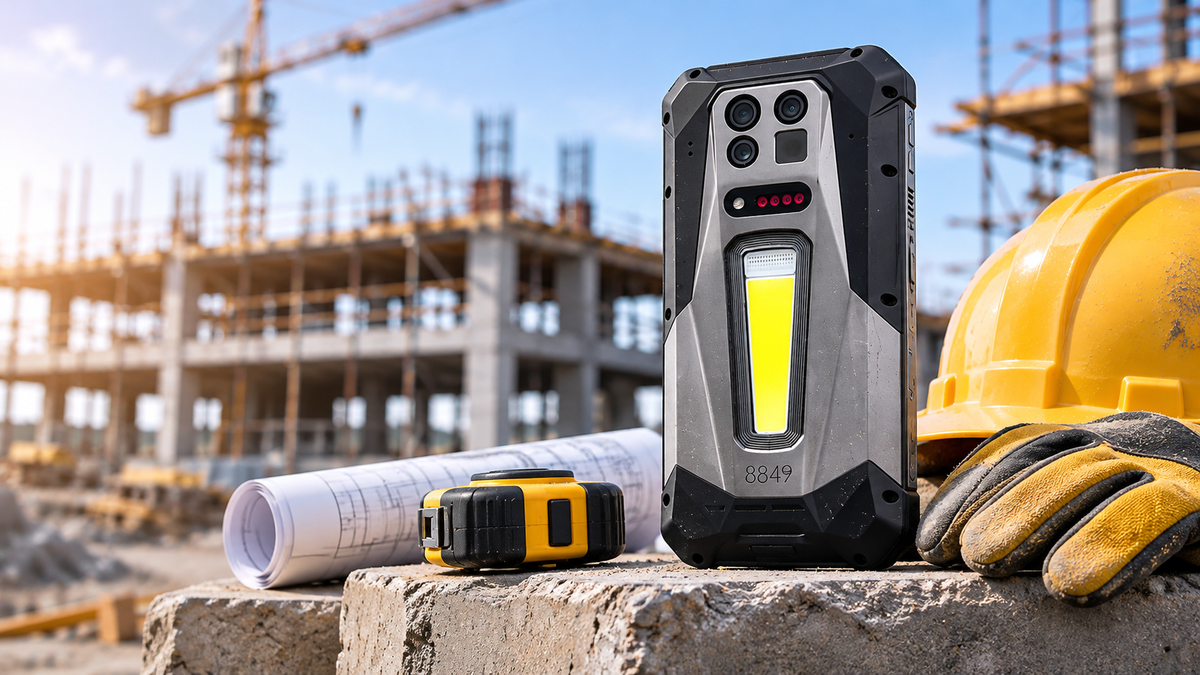
A phone on a construction site does far more than make calls. It reads drawings, takes progress photos, measures distances, finds the nearest supplier, and coordinates the crew, all while being dropped, rained on, and coated in dust. A consumer phone can handle some of that for a while. Then comes the cracked screen, the water damage, or the dead battery at two in the afternoon.
This guide explains what to look for when choosing a rugged smartphone for construction work, where the real trade-offs sit, and how to match a phone to your trade.
Why Construction Workers Need a Rugged Phone
Consumer phones are designed for pockets, desks, and living rooms. They use thin bodies, glossy glass, and ports with little protection. On a job site, those same traits become weaknesses: concrete dust works into openings, rain finds its way in, and a drop onto a hard surface lands on a screen that was never meant to take it.
A rugged phone trades some slimness for sealed ports, a reinforced frame, and a larger battery. The goal is not to buy the toughest device available. It is to buy the device that keeps you working through a normal day on your site.
Durability: What the Ratings Actually Mean
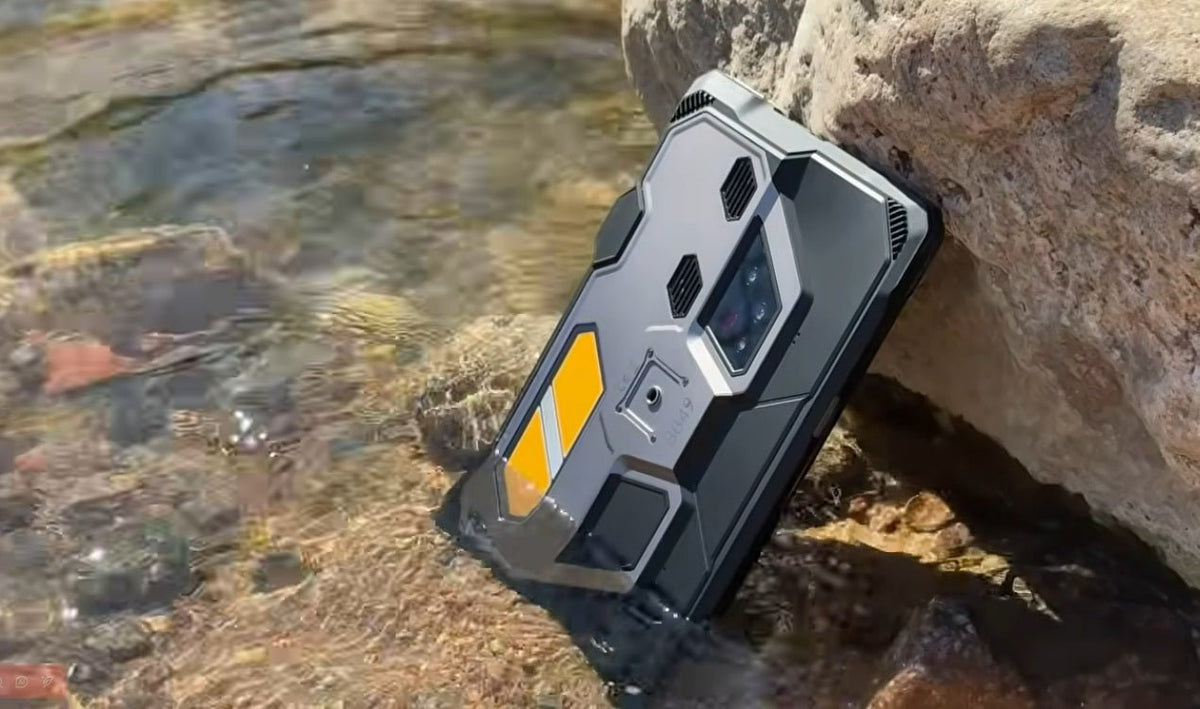
Start with the ingress rating. IP68 means the phone is dust-tight and can withstand immersion under conditions specified by the manufacturer. IP69K tests protection against high-pressure, high-temperature water jets. This additional protection can be useful around equipment washdown areas, although it does not mean the phone is suitable for every cleaning chemical or liquid exposure.
Read the details, though. Ratings are tested in a laboratory, usually in still fresh water, so they do not cover every liquid or every drop. Drop performance depends on the angle and the surface, and seals wear over time. Check that the phone ships with a case and a screen protector, and keep port covers closed on wet or dusty jobs.
Screen and Readability Outdoors
On a site, glare is a bigger problem than resolution. A bright display stays readable in direct sun, while a dim one turns into a mirror. Check the stated peak brightness in nits, and test how the touchscreen responds with gloves or damp fingers before you commit.
Screen size is a balance. Larger screens make drawings and maps easier to read but add weight and bulk. Also, check for glove mode, which lets you use the touchscreen without removing your work gloves.
Battery Life and Charging Through a Long Shift
Crews rarely get a chance to recharge mid-shift, so battery capacity matters more than almost any other spec. Look for a large battery with fast charging, so a lunch break can add real runtime. Reverse charging is a useful bonus, since it lets the phone top up another device in a pinch.
Keep expectations realistic. Heavy use of the camera, projector, or GPS drains the battery faster than messaging, and charging speed depends on the charger and the temperature.
Built-In Tools That Replace Gear
Many modern rugged phones go beyond durability and pack practical field tools directly into the device. For construction crews, this can mean fewer separate gadgets to carry, charge, and keep track of on site. Common built-in tools include:
- A laser rangefinder for quick distance, area, and volume checks when a tape measure is out of reach
- A thermal camera for spotting overheating connections, temperature patterns that may indicate moisture intrusion, and potential heat loss
- A high-lumen light for dark stairwells, crawlspaces, and early morning starts
- A built-in projector for sharing drawings, plans, or instructions with the crew on a nearby wall
These tools are designed for convenience and speed rather than professional-grade precision. A phone-sized rangefinder or thermal sensor works well for quick checks and initial screening, but it is not a substitute for certified layout tools or formal inspection equipment when accuracy and documentation matter.
Connectivity, Positioning, and Team Communication
Job sites often sit at the edge of network coverage, making reliable connectivity important. Check whether the phone supports your local carriers’ 4G and 5G frequency bands. Dual-SIM or eSIM support can offer more carrier flexibility, but neither guarantees coverage in every location. Dual-frequency GPS can also help improve positioning accuracy for site mapping and navigation, while programmable push-to-talk keys make crew communication quicker.
Weight and Size
Rugged hardware is heavier and thicker than a consumer phone. A large battery, sealed housing, and built-in tools all add weight, so decide how the phone will travel: in a pocket, on a belt holster, or in a vehicle mount. A heavy phone is fine in a holster or a truck, but it can feel awkward in a shirt pocket over a full shift.
Which Rugged Phone Features Matter Most for Your Trade?
Not every rugged phone needs every tool. The features that deliver the most value depend on the work you do day to day. Here’s a practical breakdown by trade:
- General contractors and site managers: A bright outdoor-readable screen, long battery life, and a built-in projector for quick crew briefings and plan reviews
- Electricians and HVAC technicians: A thermal camera for spotting overheating connections and unusual temperature patterns, paired with a high-lumen light
- Surveyors and layout crews: Dual-frequency GPS for better positioning accuracy and a laser rangefinder for fast distance, area, and volume checks
- Heavy equipment and groundwork crews: Strong dust and water protection (IP68/IP69K), a large battery, and a durable body that can handle impacts and vibration
- Inspectors: A capable main camera, night-vision support, and enough storage for photos, videos, and reports taken throughout the day
Matching the phone’s toolset to your specific trade helps you avoid paying for features you won’t use while ensuring the capabilities you rely on most are always within reach.
Steps to Take Before You Buy
Choosing the right rugged phone is easier when you focus on real job-site needs instead of long feature lists. Use these steps to narrow your options and avoid buying more (or less) than you actually need:
- List the three tasks you perform most often on site, such as measuring, documenting conditions, scanning QR codes or barcodes, or briefing the crew.
- Check the IP rating and the manufacturer’s stated test conditions (for example, depth and duration for water resistance).
- Compare peak screen brightness and battery capacity across the models you’re considering.
- Confirm the recommended operating temperature range matches the climate and conditions you work in.
- Decide how you will carry the phone (pocket, holster, vest, or vehicle mount) and check its weight and size against that plan.
- Look at what ships in the box, including any case, screen protector, charger, and extra accessories.
- Review software update policy, compatibility with the apps your team already uses, warranty coverage, and available repair support.
Taking a few minutes to work through these points helps you choose a phone that fits your daily work rather than one that simply looks impressive on paper.
Is the 8849 TANK 5 Pro a Good Phone for Construction Work?

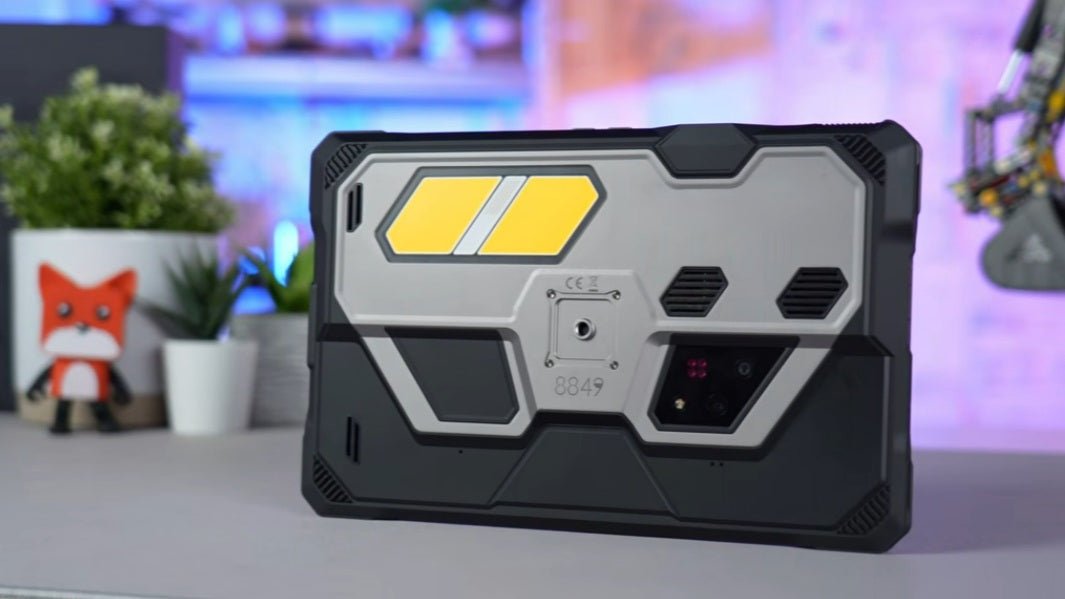
The 8849 TANK 5 Pro combines rugged protection, a large battery, and several built-in tools that can be useful on construction sites. Its main specifications include:
- Durability & Battery: IP68/IP69K protection, a 17,600mAh battery, 120W fast charging, and 25W reverse charging.
- Display & Connectivity: 6.73-inch AMOLED display with 3,000 nits brightness, dual-frequency GPS, eSIM support, and two programmable push-to-talk keys.
- Built-in Tools: A FLIR thermal camera, 4-meter laser rangefinder, 1,200-lumen light, and 220-lumen 2K projector.
These features cover several everyday site needs. The thermal camera helps identify unusual temperature patterns, while the rangefinder supports quick distance, area, and volume checks. The projector can also display drawings on a nearby wall during crew briefings.
However, there are some limitations. The thermal camera is intended for quick screening rather than certified inspections, and the short-range laser cannot replace professional surveying equipment. At 715g, the phone is also considerably heavier than a standard smartphone.
Overall, the TANK 5 Pro is worth considering for construction professionals who regularly use its built-in tools. Those who mainly need calls, photos, and navigation may find a lighter rugged phone more practical.
Conclusion
Choosing a rugged phone for construction comes down to a short list: sealed protection, a bright, readable screen, a battery that outlasts your shift, and tools that save you from carrying extra gear. Weight, climate, and the way you carry the phone decide the rest, so be honest about how your day actually unfolds.
Before buying, list the tasks you do most and pick the phone that handles those well, not the one with the longest spec list. A phone like the TANK 5 Pro fits crews that scan, measure, and brief on site, while a simpler rugged phone may suit someone who mainly needs calls, photos, and maps.
FAQs
What is the most important feature in a construction phone?
For most crews, the core combination is reliable dust and water protection, a bright outdoor-readable screen, and a battery that lasts a full shift. Built-in tools such as a thermal camera, rangefinder, or projector only become high priorities if you will use them regularly.
Is a rugged phone worth it for construction work?
In most cases, yes—if your phone regularly faces dust, drops, rain, or rough handling. For roles that stay mostly indoors or in an office, a standard smartphone protected by a quality case is often sufficient and more cost-effective.
Can a phone’s thermal camera replace a dedicated one?
For quick screening and everyday checks, a built-in thermal camera is often good enough. For certified inspections or high-stakes work that requires higher resolution and greater accuracy, a dedicated thermal imaging device remains the better choice.

Share:
What Happens If Dropping Phone in Water?