

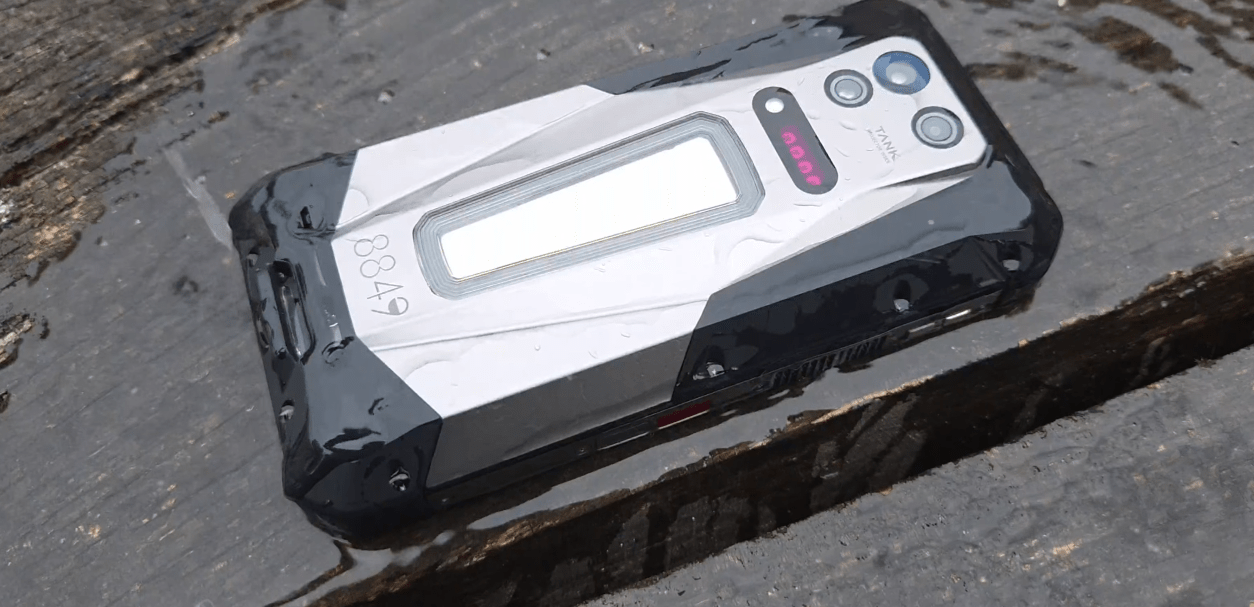
Проекторите и смартфоните винаги са били отделни устройства, но какво би станало, ако можете да носите и двете в един телефон? Телефонът с проектор прави това възможно, като интегрира миниатюрен проектор директно в смартфона и ви позволява да превърнете стена, екран или друга подходяща повърхност в много по-голям дисплей.
Въпреки че телефоните с проектор все още са сравнително рядко срещани, идеята е достатъчно проста, за да бъде интригуваща. Вместо да свързвате телефона си към външен проектор, прожекционният хардуер е вграден в самото устройство. Но как всъщност работи толкова малък проектор в смартфон и какво реалистично можете да правите с него? Нека разгледаме по-отблизо.
Какво представлява телефонът с проектор?

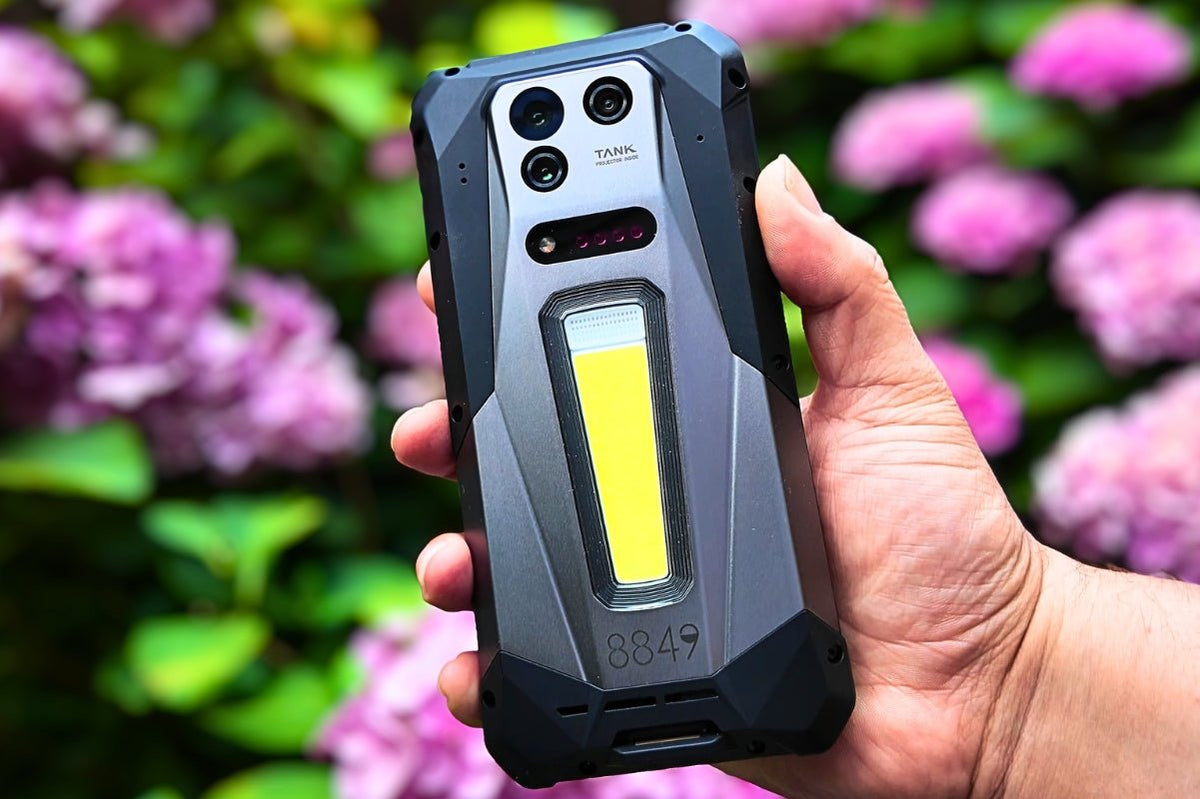
Изображение: Tank 4 Pro Телефон с проектор
Телефонът с проектор е смартфон с миниатюрен проектор, вграден директно в корпуса му. Вместо да показва всичко само на собствения си екран, телефонът може да прожектира изображения, видеоклипове, презентации и друго визуално съдържание върху стена или друга подходяща повърхност, осигурявайки ви много по-голяма зона за гледане, без да носите отделен проектор.
Най-просто казано, той съчетава функциите на смартфон и преносим проектор в едно устройство. Телефонът обработва съдържанието, а вградената прожекционна система използва източник на светлина и оптични компоненти, за да увеличи това съдържание и да го прожектира върху повърхност.
Този дизайн прави телефоните с проектор особено интересни в ситуации, в които е полезен по-голям екран, но носенето на допълнително оборудване е неудобно. Независимо дали искате да гледате видео с други хора, да споделяте снимки, да направите кратка презентация или да се насладите на по-голям екран на открито, проекторът е наличен като част от самия телефон.
Как работи телефонът с проектор?
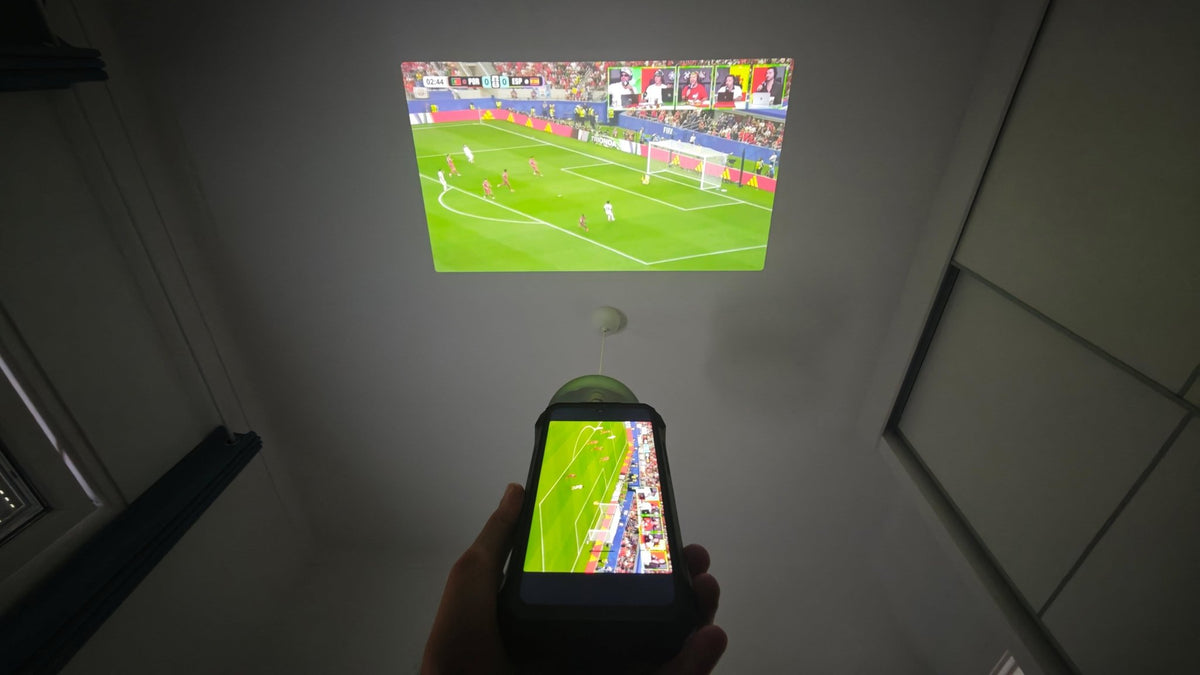
Телефонът с проектор работи почти като миниатюрен проектор, вграден в смартфон. Когато активирате режима на проектора, телефонът взема съдържанието, което в момента се показва на екрана, и го изпраща към вградената прожекционна система. След това проекторът използва светлина и оптика, за да увеличи изображението и да го прожектира върху близка повърхност.
Процесът може да бъде разделен на пет основни стъпки:
- Телефонът създава изображението. Процесорът и софтуерът на смартфона подготвят видеоклипа, снимката, презентацията или друго съдържание, което искате да покажете.
- Сигналът за изображението се изпраща към проектора. След активиране на режима на проектора съответното съдържание от дисплея се предава към вградения хардуер за прожектиране на телефона.
- Източник на светлина осветява изображението. В прожекционния модул компактният източник на светлина осигурява яркостта, необходима за създаването на видимо прожектирано изображение.
- Оптичната система увеличава изображението. Малки оптични компоненти, включително прожекционният обектив, насочват и увеличават изображението, така че то да може да бъде показано в много по-голям размер от собствения екран на телефона.
- Изображението се прожектира върху повърхност. Увеличеното изображение накрая се излъчва върху стена, екран или друга подходяща равна повърхност, където можете да го видите в много по-голям размер.
От гледна точка на потребителя процесът е сравнително прост: активирате проектора, насочвате телефона към подходяща повърхност, регулирате фокуса при необходимост и започвате да гледате или споделяте съдържание. Сложната част се случва във вградения компактен прожекционен модул, където телефонът трябва да създаде ярко, фокусирано изображение, като същевременно побере целия необходим хардуер в корпус с размерите на смартфон.
Какво има във вградения проектор на телефона?
Вграденият проектор може да изглежда прост отвън, но в много малко пространство трябва да се побере доста технология. Макар че точната вътрешна конструкция може да се различава при телефоните с проектор, повечето прожекционни системи се нуждаят от няколко основни компонента, за да превърнат цифровото съдържание във видимо изображение.
- Източник на светлина: Осигурява светлината, необходима за създаването на ярко прожектирано изображение. Компактните LED източници на светлина често се използват в малки прожекционни системи, тъй като осигуряват достатъчна яркост, без да заемат много място.
- Система за формиране на изображението: Преобразува цифровото изображение от телефона във визуалната информация, която ще бъде прожектирана. Точната технология може да варира в зависимост от конструкцията на проектора.
- Оптична система: Включва прожекционния обектив и свързаните оптични компоненти, които насочват и увеличават изображението, преди то да напусне телефона.
- Механизъм за фокусиране: Помага за поддържане на рязко прожектирано изображение, когато разстоянието между телефона и прожекционната повърхност се променя. В зависимост от дизайна фокусирането може да се регулира ръчно или да се извършва автоматично.
- Управление на топлината: Прожектирането изисква светлинен източник и други активни компоненти да работят в много компактно пространство, затова телефонът се нуждае и от начин за управление на отделената топлина.
Тези компоненти работят заедно като миниатюрна прожекционна система в телефона. Предизвикателството не е просто да се направи проектор, достатъчно малък, за да се побере в смартфон, а да се постигне баланс между яркостта на прожекцията, качеството на изображението, отделяната топлина, консумацията на енергия и физическия размер в едно и също устройство.
Какво можете да правите с телефон с проектор?

Вграденият проектор е най-полезен, когато трябва да споделите визуално съдържание с повече от един човек или просто искате по-голяма площ за гледане, без да носите допълнително оборудване. От забавленията до работата и заниманията на открито, телефонът с проектор може да превърне разнообразни ежедневни ситуации в изживявания на голям екран.
Гледане на видеоклипове и филми
Една от най-очевидните употреби е гледането на видеоклипове и филми върху много по-голяма повърхност от екрана на телефона. Вместо всички да се събират около малък екран, можете да прожектирате съдържанието върху стена или друга подходяща повърхност и да създадете по-комфортно споделено изживяване при гледане. Това може да е особено удобно по време на пътуване, къмпинг или почивка на място без телевизор или специален проектор.
Провеждане на презентации
Телефонът с проектор може да бъде полезен и за кратки презентации. Можете да показвате слайдове, снимки, документи или друго визуално съдържание директно от телефона, без да носите отделен проектор. Макар че може да не замени професионалното презентационно оборудване в голяма конферентна зала, той е удобен вариант за неформални срещи, малки групи или ситуации, в които преносимостта е по-важна от максималния размер на прожекцията.
Споделяне на снимки и видеоклипове
Голямото прожектирано изображение може да направи споделянето на снимки и видеоклипове по-вълнуващо, особено когато няколко души искат да ги гледат едновременно. Независимо дали показвате снимки от пътуване на приятели или преглеждате видеозаписи с група, прожектирането директно от телефона премахва нуждата всички да гледат един и същ малък екран.
Забавления на открито
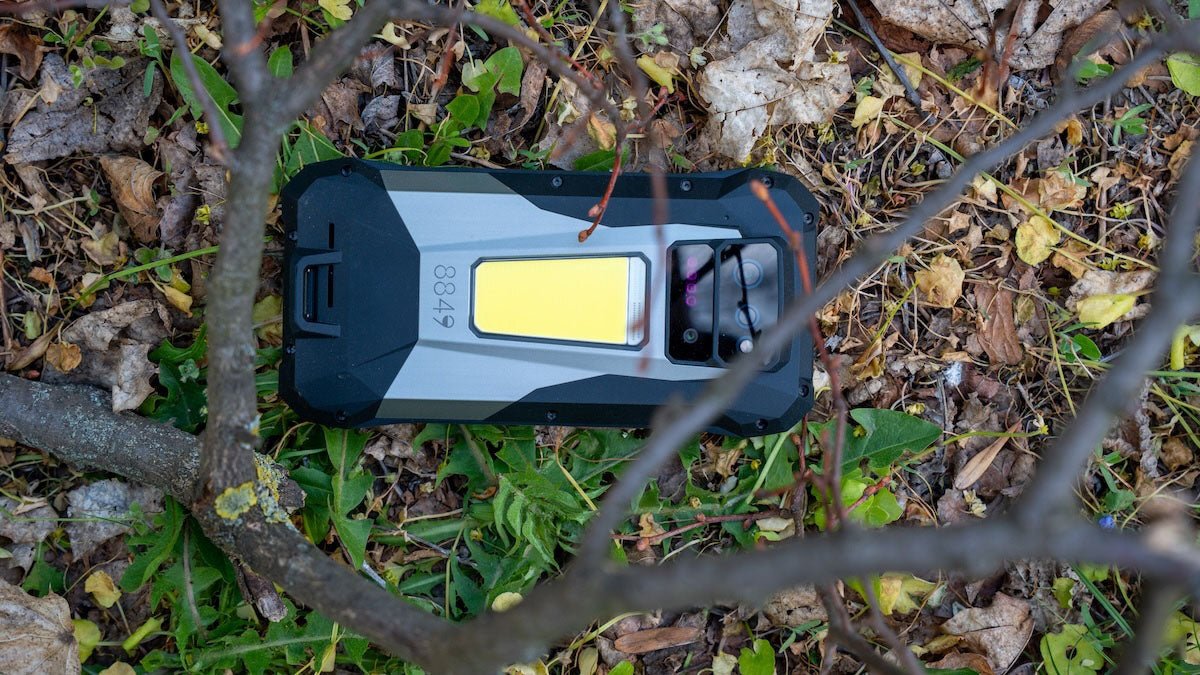
Вграденият проектор може също да добави още едно измерение към използването на открито. Например на къмпинг подходяща стена, повърхност на палатка или преносим екран могат да се превърнат във временен дисплей за филми, видеоклипове или снимки. Това е особено интересно, когато проекторът е интегриран в здрав телефон, тъй като самото устройство може да бъде проектирано да издържа на условия, при които носенето на деликатно допълнително оборудване би било неудобно.
8849 Tank 5 Флагмански телефон с проектор

8849 Tank 5 развива още повече концепцията за телефон с проектор, като комбинира вграден 2K проектор с хардуер на флагмански смартфон. Наред с проектора с висока резолюция Tank 5 разполага с AMOLED дисплей и поддръжка на eSIM, което му осигурява функционалността на съвременен смартфон, като същевременно добавя прожектиране на голям екран при необходимост.
Като флагмански телефон с проектор, той показва как вграденият проектор може да бъде нещо повече от ефектна допълнителна функция; той може да се превърне в още един начин за използване и споделяне на съдържание, като същевременно всичко остава в едно устройство.
Телефон с проектор срещу преносим проектор
Телефон с проектор и външен преносим проектор могат да превърнат малкия екран в много по-голямо изживяване при гледане, но използват съвсем различен подход. При телефона с проектор прожекционната система е вградена директно в смартфона, докато преносимият проектор е отделно устройство, което обикновено предлага по-голяма гъвкавост при прожектиране. Ето как се сравняват в ежедневната употреба:
| Функция | Телефон с проектор | Преносим проектор |
|---|---|---|
| Дизайн | Прожектор, вграден директно в смартфона | Отделно устройство |
| Преносимост | Едно устройство за телефон и прожектиране | Изисква носенето на допълнително устройство |
| Настройка | Активирайте проектора и позиционирайте телефона | Настройте проектора и свържете източник на съдържание |
| Удобство | Винаги е наличен заедно с телефона | Трябва да бъде пренасян и подготвян отделно |
| Възможност за прожектиране | Проектиран с акцент върху компактния размер и интеграцията с телефона | Обикновено предлага повече пространство за по-голям проекционен хардуер |
| Захранване | Използва батерията на телефона | Използва собствена батерия или източник на захранване |
| Ежедневна употреба | Полезен за бързо и спонтанно прожектиране | По-подходящ за специални сесии за прожектиране |
| Гъвкавост | Съчетава функциите на смартфон с прожектиране | По-специализиран за прожектиране |
Най-голямото предимство на телефона с проектор е удобството. Не е нужно да помните да вземете проектор, да търсите начин да свържете телефона си към него или да настройвате друго устройство, преди да прожектирате нещо. Функцията за прожектиране е просто още една функция на телефона, който вече носите със себе си.
Традиционният преносим проектор, от друга страна, може да е по-подходящ, когато прожектирането е основният приоритет. Специализираното устройство разполага с повече физическо пространство за проекционен хардуер и затова може да бъде проектирано с акцент върху качеството на прожектиране, без ограниченията на смартфона. То може също да предлага повече възможности за свързване и по-голяма гъвкавост при различни условия за прожектиране.
И така, изборът до голяма степен зависи от това, което цените. Ако искате най-голямото и най-гъвкаво изживяване при прожектиране, специализираният преносим проектор може да е по-добрият инструмент. Ако цените преносимостта, простотата и възможността да прожектирате навсякъде, където отива телефонът ви, телефонът с проектор предлага нещо, което отделният проектор не може: цялата система се побира в джоба ви.
Заключителни мисли
Телефонът с проектор съчетава две полезни устройства в изненадващо компактен корпус, като ви осигурява удобството на смартфон и допълнителната възможност да прожектирате съдържание върху по-голяма повърхност. Макар че не може да замени специализирания проектор във всяка ситуация, истинската му стойност е в преносимостта и удобството; можете да се насладите на по-голям екран винаги и навсякъде, когато ви е необходим.
С развитието на технологията на телефоните с проектор устройства като телефоните 8849, включително Tank 5, показват как вградената проекция може да се превърне в практична функция на смартфона, а не просто в новост.
Сподели:
8849 Tank 5 Pro: Термокамерата променя всичко
Как да предпазите батерията на телефона си?